Even in a pre-COVID world, a growing number of businesses began favouring flexible work environments that made remote teams as much the rule than the exception. Now, remote workers are multiplying by necessity rather than convenience.
This unintentional, virtual SME digitisation leaves many company owners scrambling to find ways to keep staff engaged and productive while serving customers in a non-traditional environment.
My, how things can change in just a few months.
In order to meet your remote work requirements while maintaining compliance and social distancing, you need the right platform.
We’ll investigate three options to see how they stack up in the various categories that are important to employees and business owners like you.
Virtual private networks (VPNs) allow remote workers to utilize their own devices with a great deal of privacy and security from any location or network. Unlike the other two options, there is no special equipment, infrastructure, or training needed.
Once installed on a network or device, a VPN establishes a secure connection via an encrypted tunnel. This protects networks and devices from hackers and government spying for a relatively low set price and no additional investment in equipment.
If you’re simply looking for a cost-efficient, secure solution for workers while they’re outside the office and working from home on devices and networks outside your oversight, this is a good choice.
This option differs from a VPN in several ways. For one thing, it’s a virtual office space rather than a secured network. But, employers have almost complete control over parameters, permissions, and modifications.
Each staff member gets their own dedicated virtual desktop that they can customize to suit their preferences. It’s also a Microsoft system that uses Windows 10, so there’s a shallow learning curve if your business networks and equipment support this OS.
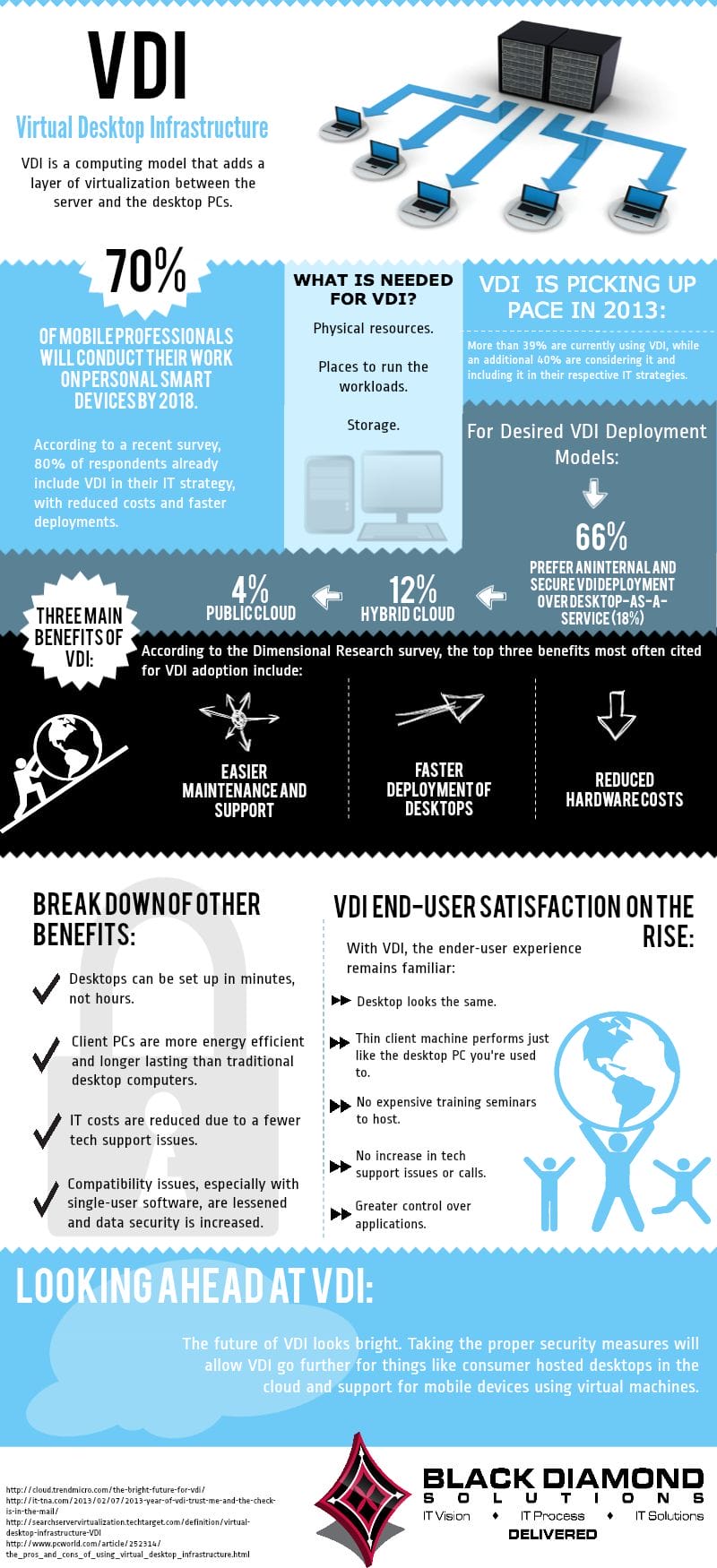
With a VDI, computing resources are predefined and allocated to each machine, allowing them to work independently. They’re a little more expensive than other solutions, and you’ll need to invest in infrastructure. But, a VDI is ideal for larger remote workforces, companies with more robust resource and processing requirements, and workers involved in tightly regulated or sensitive environments.
When you need a good general solution for an SME, this is an easy to set up, inexpensive solution. An RDS is basically an SaaS, Desktop-as-a-Service option that gives you greater control over a shared computing experience.
Individuals can customize this Windows-flavoured desktop to suit their working preferences to some degree. However, all of your employees will sign in to the same server, use a nearly identical interface, and share resources.
RDS is a good option for employees that perform the same type of work, such as call centre employees, bookkeepers, or word processors, and workforces of all sizes that don’t need a whole lot of resources to do their job.
Please note companies utilizing RDS are at increased risk for Man-in-the-Middle Attacks (MiTM). Unsecured host computers with leaked credentials can create security issues. This is best exemplified by the recent surge of ZoomBombing. Additional VPN research by digital security group Privacy Canada shows that TLS based encryption protocols are more robust, “Because the algorithm is randomized, an eavesdropper or man-in-the-middle attacker will have a hard time intercepting any data.”.
When you’re looking for a unified experience and don’t need to allocate a lot of resources, consider a remote desk. For companies with staff that needs a more tailored experience, dedicated resources, and more processing power, go with a VDI.
With a VPN, all processing is on the client-side. Virtual and remote desktops function on the server-side. Because they support a range of operating systems and apps, what you’re working with is less important with a VPN than with the Windows-based VDI. RDS supports both Windows and macOS, but they function better with Windows.
When you install a VDI, you’ll need a separate virtual machine for each employee. That makes patches and system updates more challenging. The VPN company will handle updates and maintenance for those networks. With an RDS, you’ll still have to handle some patches and maintenance chores, but there are fewer machines involved, and interfaces are unified.
User-friendliness with a VPN depends mainly on the user’s own OS and devices. If their network or device is old or badly configured, the computing environment will suffer in terms of speed and reliability.
VDIs are quicker and more scalable due to the virtualization of resources, but they can be difficult to configure and maintain. When you choose an RDS-type solution, you may run into the same problem as you would with a shared hosting platform, such as caps on resources like bandwidth and storage.
In terms of data accessibility, an RDS will give your employees a completely shared experience and environment with simple customization options. They’re generally less secure. VDIs are completely customizable, but employers can set parameters to secure the networks and control access to certain databases and files.
With a VPN, staff are free to use their own devices and it’s more difficult to control individual access. However, there is virtually no setup needed or extra hardware and equipment, unlike with an RDS or VDI.
A VPN is generally the lowest cost solution. All that’s needed is an account, a network, and a device. However, some providers place limits on the number of connections, bandwidth, and storage. On the pricier side are virtual desktops. You’ll need software to host the VDI, such as Citrix or VMware, but more resources are available to each user. An RDS is a nice mid-range option, price-wise, if you need more control over access but fewer resources.
As far as individual, device, and network security, a VPN has the others beat. But, you can do little to restrict employee access to networks, websites, or data unless you secure those yourself, manually. Both VDIs and RDS solutions can be configured to keep data from leaving the corporate environment and networks.
Business owners and workers of the world have more options than ever for remote work that really lets you get to work. Before deciding on one platform over another, take into consideration your budget, the purpose of working remotely, the type of work involved, and the learning curve for you and your remote teams.
CloudCIX, in conjunction with AlloComp, will host AI FORWARD > Supercomputing the Future, a one-day…
Munster Technological University (MTU) will host a major stakeholder workshop exploring the future of rural…
Pendulum Summit kicks off this Friday for the 12th year, founded by Irish International rugby…
Tyndall National Institute was awarded six projects from SEAI’s National Energy Research, Development & Demonstration…
ServiceNow the AI control tower for business reinvention, and OpenAI has announced an enhanced strategic…
TrailblazHER - TU Dublin’s flagship gender equality initiative - has opened nominations for the 2026…
Irish Tech News are Ireland’s No. 1 Online Tech Publication and often Ireland’s No.1 Tech Podcast too.
You can find hundreds of fantastic previous episodes and subscribe using whatever platform you like via our Anchor.fm page here: https://anchor.fm/irish-tech-news
If you’d like to be featured in an upcoming Podcast email us at Simon@IrishTechNews.ie now to discuss.
Irish Tech News have a range of services available to help promote your business. Why not drop us a line at Info@IrishTechNews.ie now to find out more about how we can help you reach our audience.
You can also find and follow us on Twitter, LinkedIn, Facebook, Instagram, TikTok and Snapchat.