Ugreen has released an updated range of its Revodok hubs and docking stations, which we have been taking a look at over the last few weeks. We recently reviewed the Revodok Pro 210 USB-C hub, which you can check out here, but today, we are taking a look at the Revodok 209 Pro Docking Station.
While the Revodok Pro 210 is ideally suited for you to carry around in your laptop bag, the Revodok Pro 209 is aimed at being your docking station in your office, especially for those who use dual external monitors at their desks.
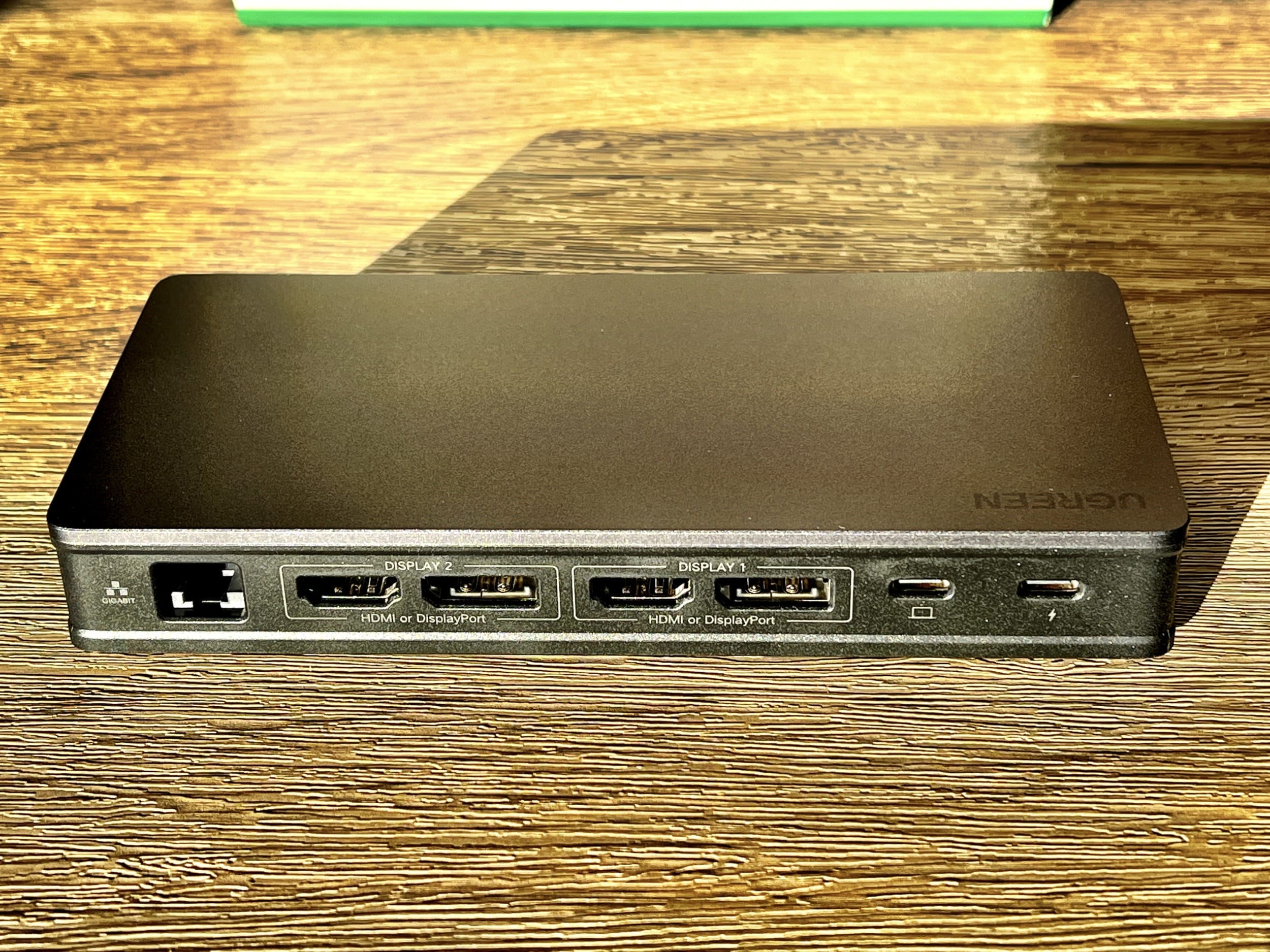
The docking station comes with two HDMI ports and two Display Ports, allowing you to connect dual monitors at up to 4K@60Hz.
The Revodok Pro 209 also offers further port expansion by including a Gigabit Ethernet port, two USB-A 3.2 10Gbps ports, and one USB-C 3.2 10Gbps port. All of this connects to a single USB-C port on your computer. The docking station also allows you to pass through 85-watt charging to all the devices connected, including your computer.
The device does not need a power supply of its own to function. You can just connect it to your laptop, and it’s ready to use.
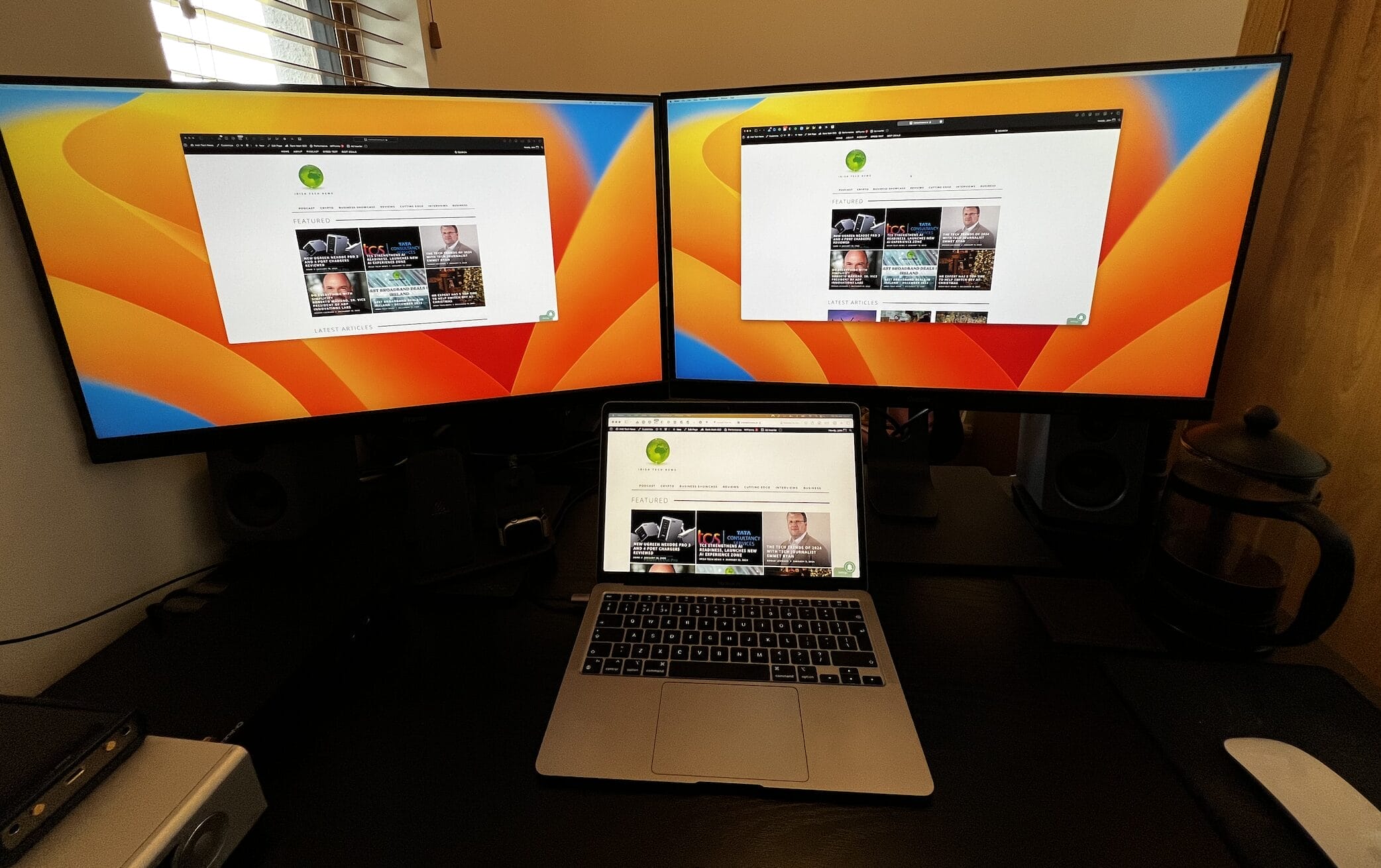
The key feature here, and the main reason we wanted to take a look at the Revodok Pro 209, is that it comes with DisplayLink, which allows you to connect two extra external monitors to laptops such as the Apple MacBook Air, which normally only support one external monitor. The rest of this review will focus on setting up the device and utilising this feature.
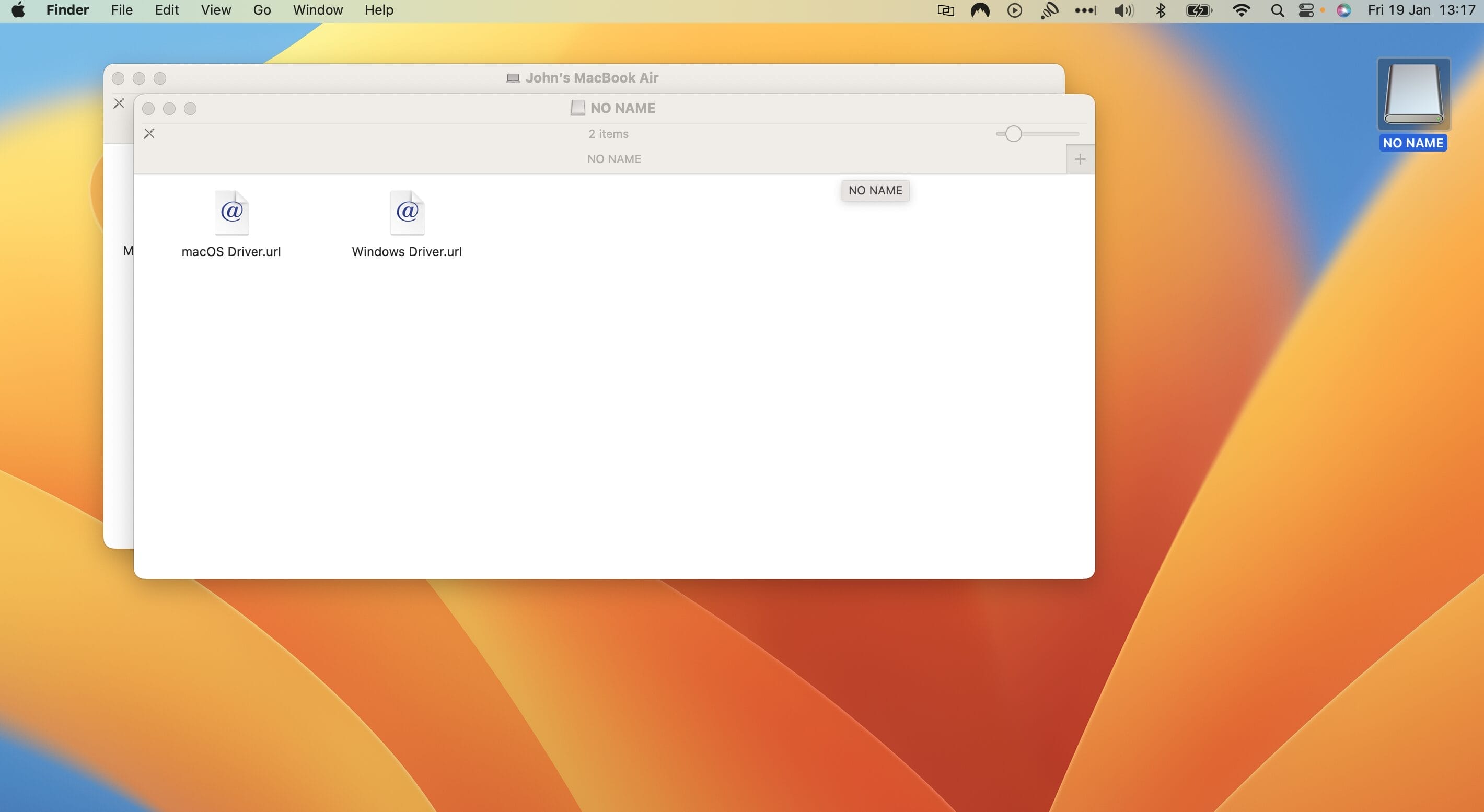
I used an M1-powered MacBook Air from 2020 as the host laptop for this. Setting up the device was very straightforward. I connected the Revodok Pro 209 to the laptop using the UBS-C cable that came bundled with the docking station. Once connected, a new drive shows up on your desktop. When you navigate to the drive, it has two files which link you to the website for either the Mac or Windows DisplayLink software which you need to install.
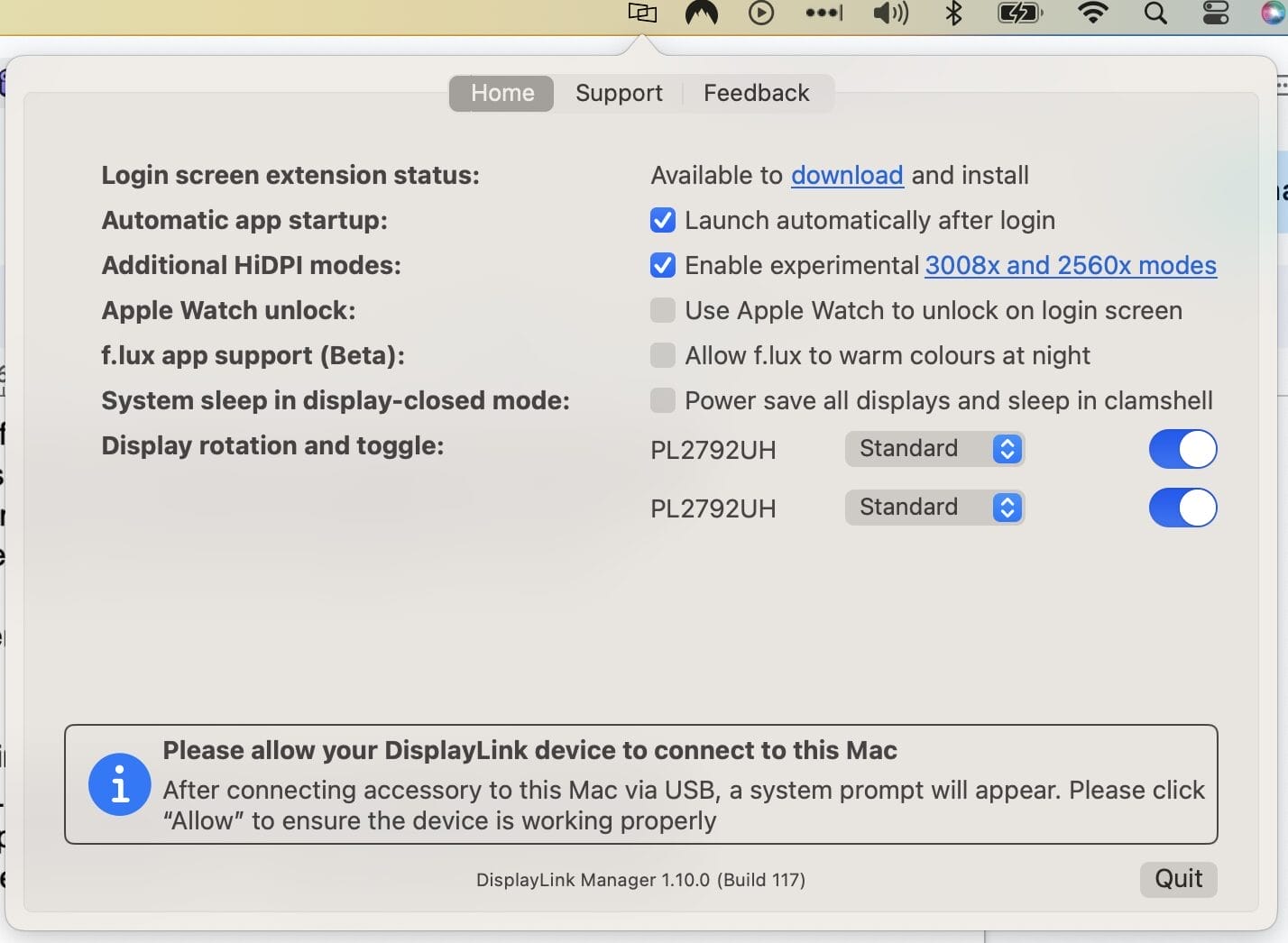
Once you have installed the software and launched it, you need to allow some permissions, and then a new icon appears on the right side of the Menu Bar. From this, you can access the different settings which are available.
You then need to connect your external monitors. We connected two 4K, 60Hz monitors to the docking station. You have to connect one monitor using HDMI and one via Display Port. Once this was done, the DisplayLink software picked up the two monitors, and we could then output two additional screens from the laptop, giving you a total of three screens to use, including the laptop’s own.
To match the same resolution and appearance as the MacBook when using 4K monitors, there was a setting that needed to be turned on from the software that is labelled as “Experimental”, but we have had no issues that would suggest that it doesn’t work perfectly.
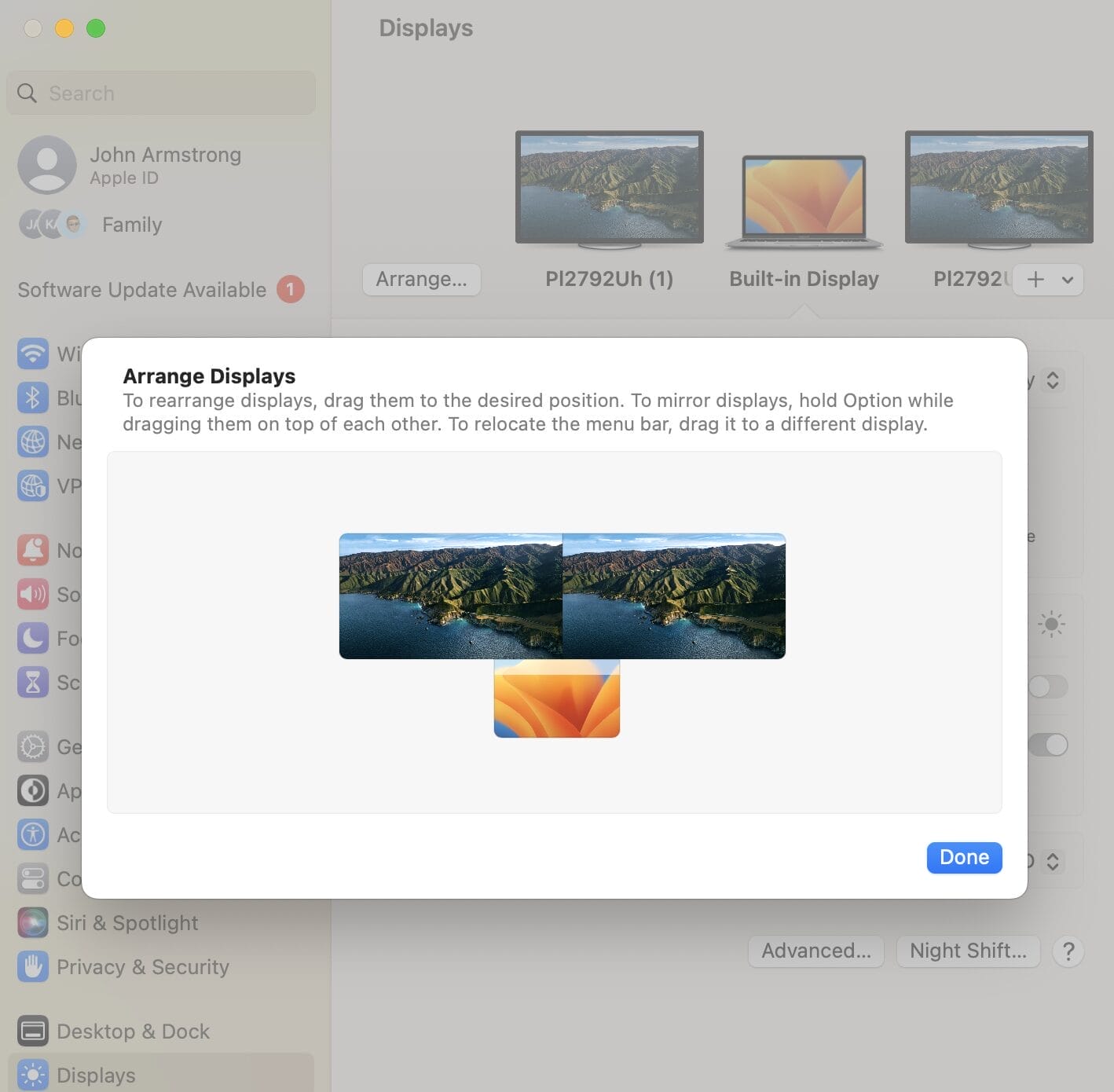
From there, you need to go to the MacOS display settings and set up the location of the external monitors in relation to the laptop so the cursor can move from one screen to another without issue. And that is it. It really was very easy to set up, and everything went smoothly with no hiccups or head-scratching moments.
We have been using the docking station every day since to put it through its paces, and it has worked flawlessly.
Both the software and hardware feel very refined, and no bugs have surfaced to date. If you use a laptop, such as the MacBook Air we used here, that only supports one external monitor, but you want to use it with two, then this device is a must. It has worked flawlessly during our time with it and also adds some extra ports for use with peripherals.
The Revodok Pro 209 is available to purchase from Amazon UK, and you can find out more about the docking station on the Ugreen website.
Payoneer, the global financial technology company powering business growth across borders, has announced it has acquired…
Climb Channel Solutions Ireland, an international specialty technology distributor and wholly owned subsidiary of Climb…
The tech skills gap is ever worsening in Ireland, with even large firms struggling to compete with…
Guest post by Paul Turley, ServiceNow, Senior Director Ireland Enterprise Sales Artificial intelligence is reshaping…
By David Stephen If an organization [academic, nonprofit or industry] say they want to solve…
Qualcomm Technologies, Inc. a wholly owned subsidiary of Qualcomm Incorporated, has announced a €125m investment…
Irish Tech News are Ireland’s No. 1 Online Tech Publication and often Ireland’s No.1 Tech Podcast too.
You can find hundreds of fantastic previous episodes and subscribe using whatever platform you like via our Anchor.fm page here: https://anchor.fm/irish-tech-news
If you’d like to be featured in an upcoming Podcast email us at Simon@IrishTechNews.ie now to discuss.
Irish Tech News have a range of services available to help promote your business. Why not drop us a line at Info@IrishTechNews.ie now to find out more about how we can help you reach our audience.
You can also find and follow us on Twitter, LinkedIn, Facebook, Instagram, TikTok and Snapchat.