
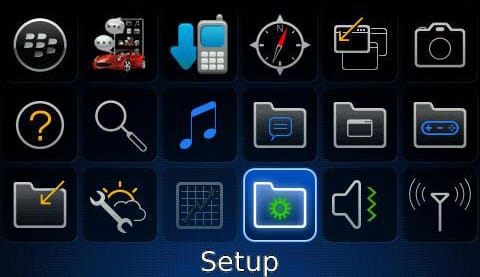
First make sure your bill or pre pay (see below) account has been provisioned for BIS (Blackberry internet services). Following this you can setup in one of 2 ways.
- Via your PC/MAC
Depending on your network go to:
http://3ireland.blackberry.com
http://www.mobileemail.vodafone.ie
Then create a new account and register your devices IMEI and pin. Service books should then be sent to your phone.
From here you can set up emails too.
- Directly from your device
Depending on your device the menu is either:
- Options, Advanced options, Host routing table (8520 and OS5 models)
- Options, Device, Advanced options, Host routing table
Then press menu (the 7 dot button on your BlackBerry) and click “register now”
Once you’ve received the service books all you need to do is go to setup, email accounts, to add emails accounts.
On pre pay text the following to register:
Meteor: register for the Service by sending ‘My blackberry’ to short code 50104
eMobile: Freetext ‘start blackberry’ to 50104
O2: Text NET to 50231 to get 700mb data add-on for 9.99 renewed monthly. Once that’s confirmed text BLACK to 50231 to get the BIS add-on
Vodafone: Text “BlackBerry” to 50222 to opt-in
More about Irish Tech News
Irish Tech News are Ireland’s No. 1 Online Tech Publication and often Ireland’s No.1 Tech Podcast too.
You can find hundreds of fantastic previous episodes and subscribe using whatever platform you like via our Anchor.fm page here: https://anchor.fm/irish-tech-news
If you’d like to be featured in an upcoming Podcast email us at [email protected] now to discuss.
Irish Tech News have a range of services available to help promote your business. Why not drop us a line at [email protected] now to find out more about how we can help you reach our audience.
You can also find and follow us on Twitter, LinkedIn, Facebook, Instagram, TikTok and Snapchat.