
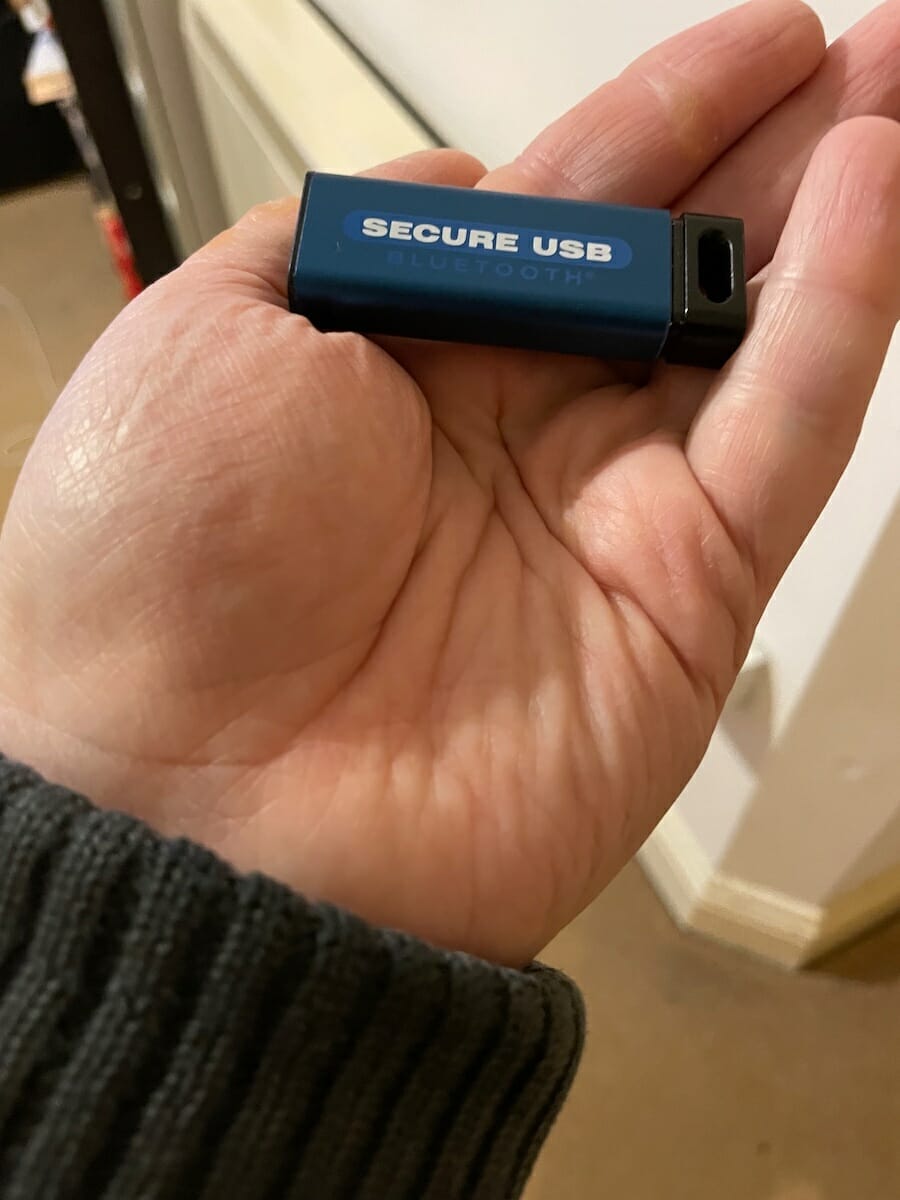
In 1997 SecureData was founded and started as a computer repair service. Ten years later they grew to become a worldwide leader in professional data recovery services, pioneering many common techniques used throughout the data recovery services industry. Their latest product is the Secure USB BT, portable encrypted data storage with built-in antivirus, which is designed and built in America.
What’s in the box
- SecureUSB BT
- microB Adapter
- USB-C Adapter
- Hand Strap
- Quick Start Guide
Secure USB BT Design and Specs
The Secure USB BT, is a USB stick that comes in the colour blue, is stylish and easily fits in your pocket. It is designed to work with any OS from Android and iOS through to Linux, Mac OS, or Windows.
- FIPS 140-2 Level 3 Validated: Certificate #3349
- Works with any device with a powered USB port
- Hardware encryption: XTS-AES 256-bit
- Interior parts covered in epoxy to prevent media removal from hackers
- User authentication with secure wireless mobile app with encrypted Bluetooth (iOS & Android)
- Remote wipe
- Dual factor authentication, Face ID/Touch ID authentication, password retrieval
- Admin/user modes (*Admin mode for Remotely Managed drives only)
- Read Only mode
- Auto-lock
- Remote Management-ready (sold separately)
- Preloaded with DriveSecurity® ESET Antivirus (1-year license included)
- MyPasswords™ prepaid 3-year license
How does the Secure USB BT perform?
The Secure USB BT offers the ultimate personal secure storage system. Out of the box it can only be opened via the SD User which you download app onto your Android device, iOS device or Apple Watch. This can be done with dual factor authentication, Face ID/Touch ID authentication, which means it’s harder for unauthorised users to access it.
When I set it up, I made sure it could be unlocked by using my Apple watch or face recognition on my iPhone. Once it has been setup it is so easy to use and works like any other external drive attached to your computer. This makes dragging and dropping files to it so easy.
When you access the SD User app on your Android or iOS device you will see your Secure USB BT locked and then unlocked as you can see below.


Once it is unlocked you will see the various options pictured below.
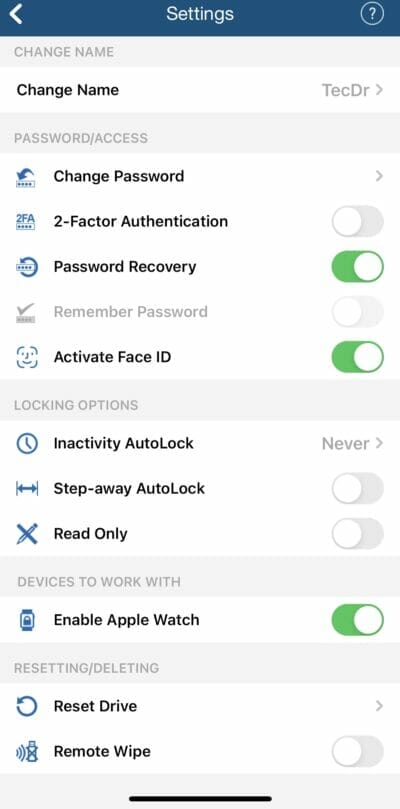
As you can see the options vary from making the Secure USB BT Read Only, through to activating two different versions of AutoLock, which will allow you to leave the SecureUSB BT in place whilst you are away doing something else such as getting a coffee.
You also get a 3 year license of MyPasswords which is a simple cloud based system that allows you to store all your passwords in one place. MyPasswords uses your email address to give you access to all your passwords, by sending you a link to your password which you can use to see your passwords.
There is one optional extra that I highly recommend, SecureData Remote Management. This allows you to control your Secure USB BT remotely from another computer via a Web Console, which is very useful if the company you work for intends on using or uses multiple drives.
The Remote Management (RM) enforces the following IT security policies:
-
- Where and when drives allowed to be used
- Wipe drives or disable access
- Remotely unlock/force password reset
- Track and manage multiple drives on one account
Conclusion
As the pandemic is getting us used to hybrid working, we need to be able to access any files we are using and not worry where they are stored. If you are working from home using a family computer, you need to know that any data files you are using such as Word or Excel won’t be compromised. Coming with a years free subscription to DriveSecurity ESET Antivirus is also reassuring as it greatly lessens the chances of you getting a virus and or spreading it.
The only issue I had was removing the Secure USB BT from its case, but once I had done this, I had no further issues. You might think USB sticks are no longer in favour but this USB stick shows that this is not the case.
The Secure USB BT can be bought for € 96.13 from here.
See more product reviews here.
More about Irish Tech News
Irish Tech News are Ireland’s No. 1 Online Tech Publication and often Ireland’s No.1 Tech Podcast too.
You can find hundreds of fantastic previous episodes and subscribe using whatever platform you like via our Anchor.fm page here: https://anchor.fm/irish-tech-news
If you’d like to be featured in an upcoming Podcast email us at [email protected] now to discuss.
Irish Tech News have a range of services available to help promote your business. Why not drop us a line at [email protected] now to find out more about how we can help you reach our audience.
You can also find and follow us on Twitter, LinkedIn, Facebook, Instagram, TikTok and Snapchat.